Google Pixel phones have long been celebrated for their clean interface and absence of bloatware, making them a favorite among Android users. However, recent updates have introduced ads that some users find intrusive. In this article, we will guide you on how to turn off these ads without sacrificing essential notifications.
Introduction of Ads on Pixel Phones
The latest Pixel 11 series launch has sparked a change in how Google communicates with Pixel users. Many have noticed ads appearing for new hardware on their older Pixel devices, a practice that is common on many other brands but was previously avoided by Google. While some find the addition of ads unsettling, there is a way to manage this new feature.
Understanding the My Pixel App
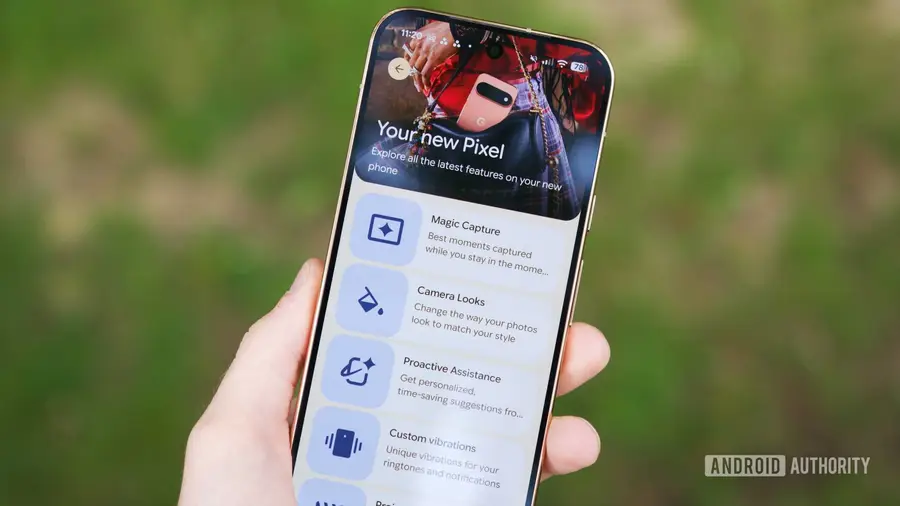
Previously known as Pixel Tips, the My Pixel app has evolved to include features that not only provide helpful tutorials but also promote Google's hardware. While the store tab is a useful addition, receiving unsolicited ads can be frustrating. Users should be aware that these ads can be managed without completely disabling the app.
How to Disable Ads in Notifications
To prevent ads from cluttering your notifications, you can take advantage of Android's notification management system. This feature allows users to customize what type of notifications they want to receive from each app. For the My Pixel app, you can specifically disable ads while keeping other useful notifications intact.
- Open your phone's Settings.
- Navigate to Apps and select My Pixel.
- Go to Notifications and find the category labeled Products and Offers.
- Toggle off the notifications for this category.
By doing this, you can maintain updates on new features and order notifications while filtering out unwanted ads.
The Importance of Managing Notifications
It’s important to actively manage your notification settings, especially as companies like Google introduce more products. The potential for an increased volume of ads is concerning, and being proactive can help avoid an overwhelming experience. For now, users can enjoy a degree of control over what they see on their devices.
While one ad may not seem burdensome, the trend of increasing advertisements could lead to a less enjoyable user experience. As Google continues to expand its hardware offerings, it is crucial to stay vigilant about what notifications you allow.
In conclusion, while ads have started appearing on Pixel phones, users have the ability to manage their notifications effectively. By following the steps above, you can ensure that your Pixel remains a clean and efficient device.
Source: https://www.androidauthority.com/ads-on-pixel-phones-how-turn-off-3699375/