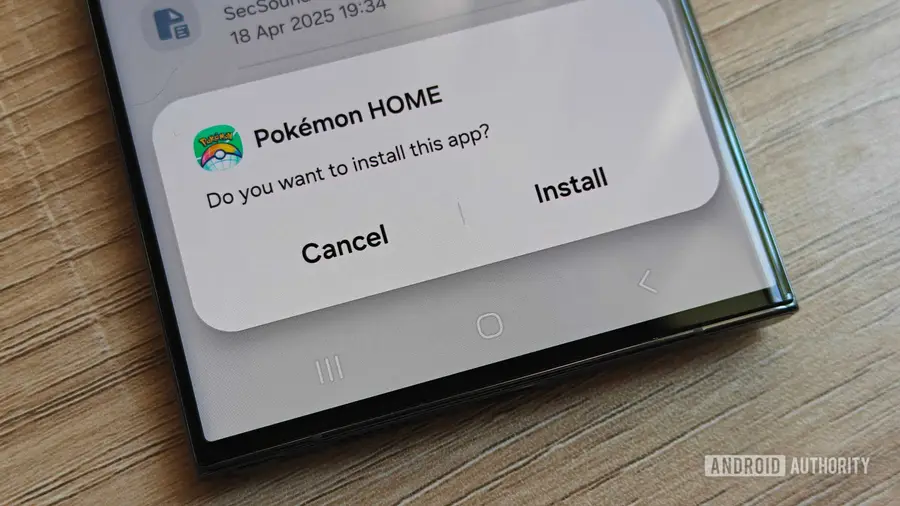
Google has officially implemented its new rules for Android sideloading, aimed at enhancing security and developer verification. This change is currently live in Brazil, Indonesia, Singapore, and Thailand, with a broader rollout expected in 2027. The alterations focus on restricting the installation of unverified app packages on certified Android devices using Google Play Services, leading to community discussions about the implications of these changes.
Understanding the New Developer Verification Rules
Under the new guidelines, Android users can freely install apps from certain app stores, but applications outside these approved sources face restrictions. The changes largely affect apps available on platforms like GitHub and F-Droid, as well as community-patched apps like Morphe. When these applications are modified, they alter the original APK’s signing key, causing the system to classify them as unverified, which blocks their installation.
Options for Bypassing Restrictions
In response to the new developer verification requirements, users have reported several effective methods to sideload apps. According to feedback from users on platforms such as Reddit, here are five approaches to navigate these restrictions:
- ADB: The Android Debug Bridge (ADB) remains the simplest way to install apps from unverified developers.
- Shizuku: This method is another reliable option for sideloading applications.
- Google’s Advanced Flow: While this process may not be as straightforward, it is another pathway to bypass the restrictions.
- Custom ROMs: Options like Lineage OS and GrapheneOS are exempt from the new rules, providing flexibility for users.
- Community Resources: Engaging with community insights can provide additional tips and tricks for sideloading apps.
Concerns and Clarifications from the Community
As users adapt to the new rules, some concerns have emerged regarding the procedures involved. For instance, if the Advanced Flow process is not completed within a 24-hour period, users may need to restart the process. However, there is ambiguity in Google's documentation regarding any expiration after this waiting period, leading to speculation about the accuracy of this information.
Another point of discussion has been whether uninstalling the Android Developer Verifier app affects the 24-hour cooldown period. Community feedback suggests that uninstalling may not influence the waiting time or restrictions, as these are likely managed by Google Play Services through Play Protect.
Implications for Users and Developers
For users in regions where restrictions are not yet in effect, there is no immediate action required. Google's phased rollout aims to gather user feedback and enhance the experience. While most users may never encounter these new restrictions, those who do might appreciate the security measures in place that help prevent scams on Android devices.
For more advanced users, the methods to bypass these restrictions are relatively straightforward. If you are unfamiliar with ADB, it might be wise to reconsider installing random apps from unknown sources. Staying informed and utilizing community resources can help ease the transition during this period of change.
Source: https://www.androidauthority.com/how-to-bypass-android-developer-verification-sideloading-rules-3718002/