Introduction to TypeWhisper
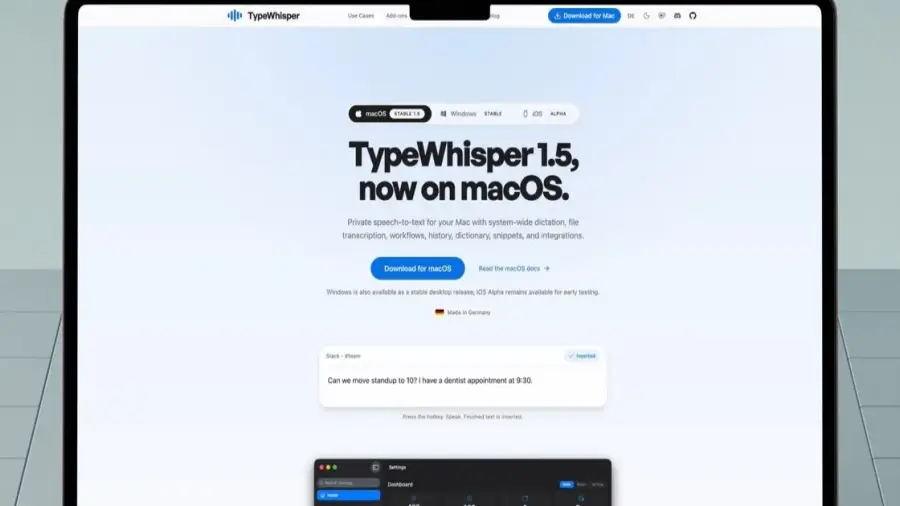
TypeWhisper is an innovative AI dictation application that operates entirely on local models for Mac users, providing a free alternative to similar subscription-based apps. This tool utilizes on-device AI to convert speech into text without transmitting audio data to the cloud.
Benefits of Using TypeWhisper
This application is a game-changer for Mac users seeking a cost-effective and accurate dictation solution. Unlike many popular dictation apps in the App Store that lock essential features behind paywalls, TypeWhisper offers several free on-device models. Users can also opt for cloud-based models if they prefer enhanced accuracy without being forced to use them.
Seamless Dictation Experience
One of the standout features of TypeWhisper is its ability to minimize the gap between speaking and typing. Users can initiate dictation from anywhere on their Mac using global keyboard shortcuts. By holding the shortcut key, they can activate a push-to-talk mode, or simply tap it once to start and stop recording.
After dictating, the application automatically places the transcribed text into the currently active text field, eliminating the need for manual copying and pasting. For example, users can dictate directly within their email application, making the process incredibly efficient.
Custom Vocabulary and Learning Features
TypeWhisper allows users to teach it their specific vocabulary, such as names, brands, or industry terminology they frequently use. Users can define special terms and set corrections for commonly misrecognized words, gradually building a personalized dictionary as they use the app. Its most notable feature is its automatic learning capability; if users correct a misheard word, TypeWhisper remembers this for future dictations, streamlining the process.
Advanced Functionality and Add-ons
Another powerful aspect is the ability to process transcribed text through AI before adding it to documents. Users can configure workflows to format their dictation in Markdown for applications like Obsidian and choose AI providers to manage this process, whether on-device or through services like OpenAI or Gemini.
The snippet feature also enhances productivity, allowing users to set up trigger phrases that expand into complete sentences or paragraphs when spoken. Additionally, TypeWhisper can transcribe pre-recorded audio and video files, even allowing for the export of subtitle files with timestamps if necessary. All dictation history is saved and searchable, making it easy to retrieve what was said in previous sessions.
There's a mode designed to increase microphone gain, ensuring that the application captures the user's voice even in noisy environments. TypeWhisper also features a hub for add-ons, where users can enhance the app's functionality. One recommended add-on is the Filler Words feature, which automatically removes filler words like 'um' and 'uh' from the dictation, resulting in cleaner text.
Conclusion
TypeWhisper has integrated seamlessly into the workflows of those who have tried it. This application is not only quick and accurate but also completely free. For those who have hesitated to try dictation apps due to concerns about speed, accuracy, or subscription fees, TypeWhisper is definitely worth exploring. It is poised to become a permanent fixture on Macs.
As local AI applications like TypeWhisper continue to evolve, they reflect intriguing trends in the tech industry, particularly amidst increasing competition. The adoption of AI on personal devices is rapidly advancing, distinct from dynamics within large AI corporations.
Source: https://telset.id/how-to/typewhisper-aplikasi-dikte-ai-lokal-gratis-untuk-mac