Pengenalan Kode Dial Samsung
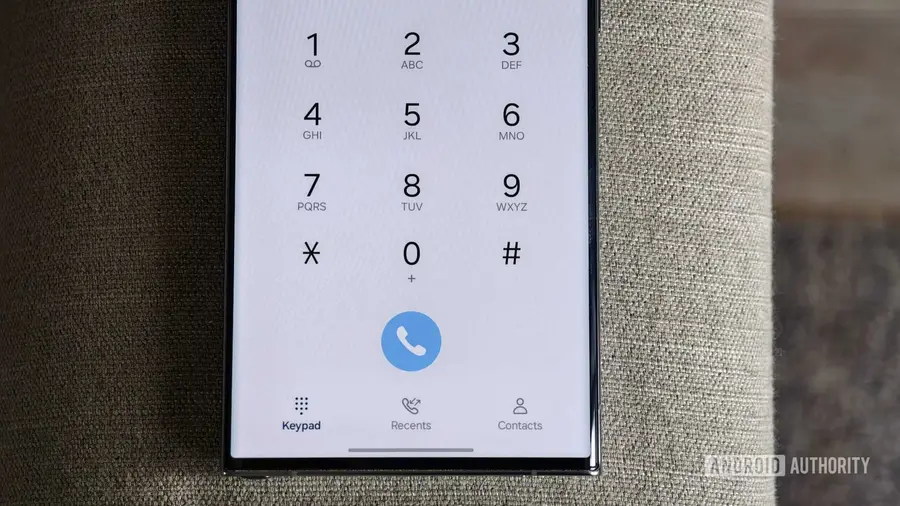
Ponsel Samsung Galaxy Anda tidak hanya untuk melakukan panggilan. Dengan mengetik kombinasi angka dan simbol tertentu, Anda dapat membuka berbagai menu dan fitur tersembunyi yang mungkin tidak Anda ketahui sebelumnya. Kode-kode ini dikenal sebagai MMI (Man-Machine Interface) dan dapat membantu Anda melakukan berbagai hal, mulai dari melihat IMEI perangkat hingga melakukan pengujian perangkat keras.
Mengaktifkan Kode Dial
Sebelum menggunakan kode-kode ini, Anda perlu mematikan fitur Auto Blocker di One UI. Fitur ini bertujuan untuk melindungi perangkat Anda dari aktivitas berbahaya, tetapi juga dapat menghalangi sebagian besar kode dial dari berfungsi. Untuk menonaktifkannya, buka Pengaturan > Keamanan dan Privasi dan matikan Auto Blocker. Untungnya, jika Anda menggunakan One UI 8.5 atau lebih baru, fitur ini akan otomatis aktif kembali setelah 30 menit.
Berbagai Kode Rahasia yang Berguna
- Kode IMEI: Dengan mengetik *#06#, Anda dapat melihat nomor IMEI ponsel Anda. Ini sangat berguna jika ponsel Anda hilang atau dicuri.
- Menyembunyikan Nomor Telepon: Jika Anda ingin menelepon tanpa mengungkapkan nomor Anda, ketik *67 sebelum nomor telepon. Untuk pengguna di luar AS, gunakan *31#.
- Pengaturan USB: Dengan kode *#0808#, Anda dapat mengakses menu pengaturan USB dan mengubah mode default, seperti beralih dari Charging ke MTP.
- Pemeriksaan Layar Sentuh: Jika layar sentuh terasa tidak responsif, ketik *#2663# untuk membuka menu pembaruan firmware layar sentuh.
- Membersihkan Log Sistem: Untuk menghapus file log yang tidak diperlukan, ketik *#9900# dan pilih opsi untuk menghapus log yang terakumulasi.
- Diagnostik Perangkat Keras: Kode *#0*# akan membuka menu diagnostik yang memungkinkan Anda menguji berbagai komponen perangkat keras ponsel Anda.
Kesimpulan
Kode dial ini memberikan kemudahan dan fungsionalitas tambahan bagi pengguna Samsung Galaxy. Dengan menggunakan kode-kode ini, Anda dapat melakukan berbagai pengaturan dan pemeriksaan hanya dengan beberapa ketukan. Namun, ingatlah bahwa tidak semua kode mungkin berfungsi pada ponsel yang terkunci oleh operator.
Sumber: https://www.androidauthority.com/secret-dial-codes-samsung-phones-3684761/