Samsung baru-baru ini mengakui adanya masalah pada modul RegiStar dari Good Lock, yang menyebabkan hilangnya fungsi penting bagi pengguna Galaxy Buds. Modul ini dirancang untuk meningkatkan pengalaman pengguna dengan memungkinkan mereka menyesuaikan pengaturan sesuai keinginan.
RegiStar dan Fungsinya
RegiStar adalah salah satu modul dalam aplikasi Good Lock yang memberikan kebebasan kepada pengguna Samsung Galaxy untuk mengatur menu pengaturan sesuai dengan preferensi mereka. Pengguna dapat mengatur gestur back-tap dan juga menyesuaikan apa yang terjadi ketika tombol daya ditekan.
Masalah yang Terjadi
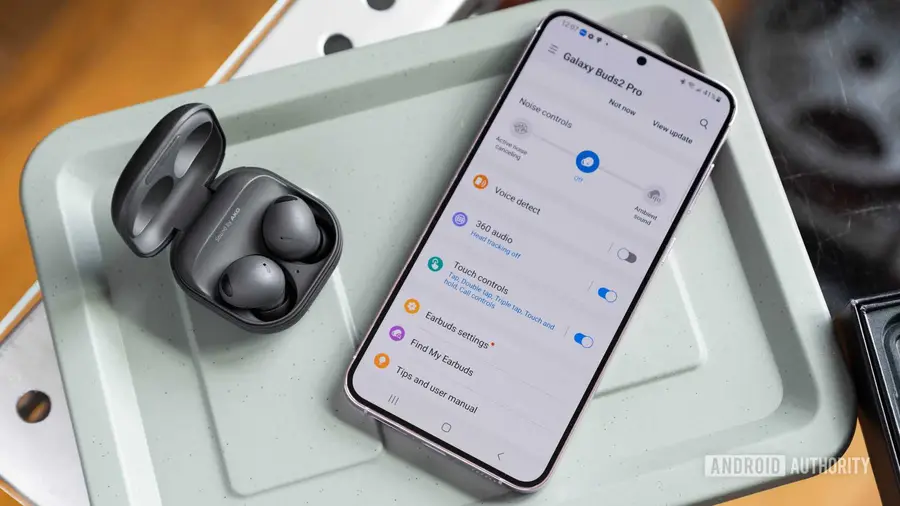
Meskipun modul ini menjanjikan kemudahan, sejumlah pengguna melaporkan bahwa setelah memperbarui ke versi terbaru, fungsi tertentu menjadi tidak berfungsi, khususnya bagi mereka yang menggunakan Galaxy Buds. Ketika Galaxy Buds terhubung ke ponsel atau tablet Samsung, seharusnya muncul pintasan kecil di bagian atas pengaturan perangkat. Namun, bagi pengguna RegiStar, fungsi ini tampaknya hilang.
Pengalaman Pengguna
Salah satu pengguna melaporkan di forum komunitas Samsung bahwa setelah menggunakan modul RegiStar, pintasan Galaxy Buds hilang dari bagian atas pengaturan. Meskipun opsi tersebut masih terlihat di pengaturan RegiStar, namun tidak muncul di pengaturan setelah proses pengaturan selesai. Pengguna lain juga berbagi bahwa kadang-kadang bagian ini muncul di bagian bawah halaman alih-alih di atas saat menggunakan RegiStar.
Konfirmasi Masalah dan Solusi yang Diharapkan
Masalah ini telah dikonfirmasi oleh seorang moderator komunitas, yang meminta maaf atas kendala tersebut dan menyatakan bahwa pembaruan akan segera hadir dengan One UI 9. Namun, timeline untuk pembaruan ini bisa bervariasi tergantung pada usia ponsel, bisa memakan waktu dari beberapa minggu hingga beberapa bulan. Meskipun Samsung telah mengumumkan acara Unpacked yang akan berlangsung pada 22 Juli untuk memperkenalkan One UI 9, tidak semua ponsel yang kompatibel akan mendapatkan pembaruan secara bersamaan.
Pengguna diharapkan untuk bersabar sambil menunggu pembaruan ini, dan diharapkan Samsung dapat segera menyelesaikan masalah ini agar pengalaman pengguna tetap optimal.
Sumber: https://www.androidauthority.com/samsung-registar-good-lock-glitch-3685141/