Pengguna Fire TV Stick sering kali tidak menyadari bahwa pemilihan port HDMI yang tepat dapat mempengaruhi pengalaman menonton mereka. Walaupun semua port HDMI dapat digunakan, memahami perbedaan spesifikasi antar port sangat penting untuk mengoptimalkan kinerja perangkat streaming Anda.
Apa Itu Fire TV Stick?
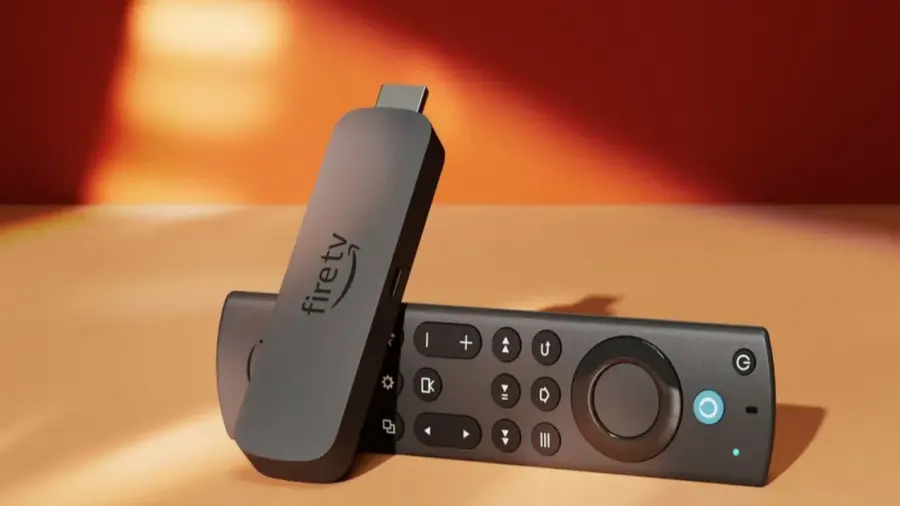
Amazon Fire TV Stick adalah perangkat streaming yang mengubah TV biasa menjadi smart TV. Namun, tidak semua port HDMI pada TV Anda memiliki kemampuan yang sama. Oleh karena itu, penting untuk mengetahui port mana yang sebaiknya digunakan untuk Fire TV Stick dan mengapa hal ini penting.
Perbedaan Antara HDMI 2.0 dan HDMI 2.1
TV modern saat ini biasanya dilengkapi dengan campuran port HDMI 2.0 dan HDMI 2.1. HDMI 2.1 adalah standar terbaru yang dirancang untuk bandwidth lebih besar, mencapai 48 Gbps, sedangkan HDMI 2.0 hanya menawarkan 18 Gbps. Perbedaan ini signifikan untuk perangkat yang membutuhkan bandwidth tinggi, seperti konsol game generasi terbaru.
Cara Mengidentifikasi Port HDMI di TV Anda
Untuk mengetahui jenis port yang dimiliki TV Anda, periksa spesifikasi pada kemasan TV atau lihat stiker di dekat port HDMI. Port HDMI 2.1 biasanya ditandai dengan label seperti “4K @ 120Hz” atau “Game”, sementara port ARC/eARC akan memiliki stiker khusus yang menandakan kemampuannya.
Rekomendasi Penggunaan Port HDMI untuk Fire TV Stick
Fire TV Stick memiliki resolusi maksimum yang berbeda tergantung modelnya. Fire TV Stick HD (model entry-level) hanya mendukung 1080p/60Hz, sedangkan Fire TV Stick 4K dan 4K Max mendukung 4K/60Hz. Kedua resolusi ini masih berada dalam kapasitas bandwidth HDMI 2.0 yang 18 Gbps.
Fire TV Stick 4K dan 4K Max juga mendukung standar HDR seperti Dolby Vision, HLG, dan HDR10+, serta audio Dolby Atmos. Semua fitur ini didukung oleh HDMI 2.0, sehingga tidak memerlukan port HDMI 2.1. Jika Anda memiliki konsol game seperti Xbox Series X, PS5, atau PS5 Pro, sebaiknya cadangkan port HDMI 2.1 untuk perangkat tersebut, karena konsol game membutuhkan bandwidth tinggi untuk bermain game pada 4K/120Hz dan memanfaatkan fitur Variable Refresh Rate (VRR).
Selain itu, jika Anda memiliki soundbar atau perangkat audio eksternal, pastikan untuk menggunakan port ARC (Audio Return Channel) atau eARC (enhanced Audio Return Channel) pada TV Anda. Port ini memungkinkan pengiriman audio dari TV ke soundbar menggunakan satu kabel HDMI, menghilangkan kebutuhan kabel terpisah.
Dengan memahami spesifikasi port HDMI dan mengalokasikannya dengan tepat, Anda dapat memaksimalkan potensi semua perangkat yang terhubung ke TV Anda. Meskipun Anda bisa menggunakan port HDMI mana pun untuk Fire TV Stick, pemahaman ini akan membantu Anda mengoptimalkan pengaturan home entertainment secara keseluruhan.
Sumber: https://telset.id/how-to/cara-memilih-port-hdmi-yang-tepat-untuk-fire-tv-stick