Apple Issues Important Warning for Lost iPhone Users
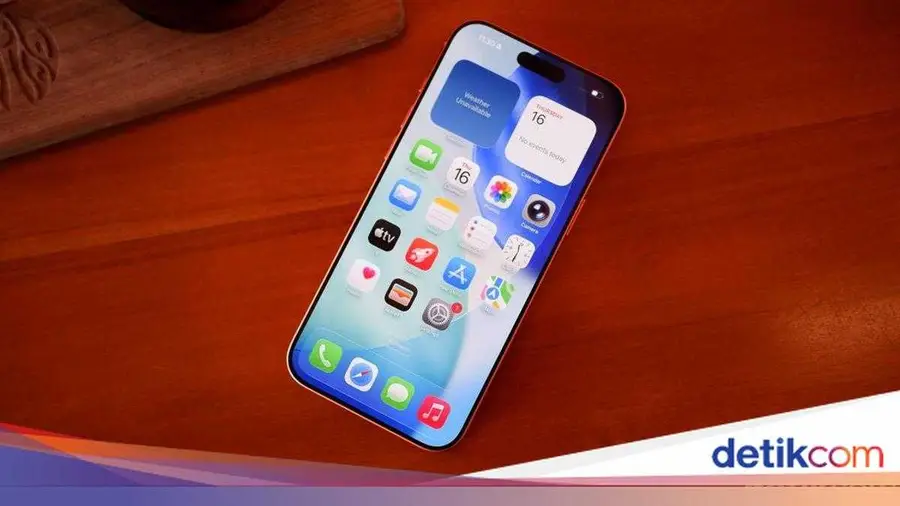
Apple recently launched a crucial support page for iPhone users regarding steps to take if their device is stolen. In the document, Apple provides several security warnings to consider, especially about the risks of fraud that can arise from contact information displayed on the lock screen.
Risks of Placing Contact Information on the Lock Screen
Previously, Apple recommended that users place contact information, such as a phone number, on the lock screen of a lost iPhone. The goal was to make it easier for someone who finds the device to contact the owner. However, in its latest guidelines, Apple warns that this action can significantly increase security risks.
According to Apple, thieves can use the contact information displayed to carry out fraud in various ways. "You might see an option to enter a phone number or a message about how to reach you. While this information is useful if you lose your device, it can backfire if your iPhone is stolen," Apple explained, as cited by 9to5Mac.
Beware of Social Engineering Scams
Social engineering scams are among the most common threats. Thieves may impersonate Apple staff or even representatives from mobile carriers to obtain further information that can be used to unlock the device. This is a very dangerous scenario for unsuspecting iPhone owners.
Apple emphasizes the importance of keeping personal information secure and not providing additional details to unknown parties. If your device is stolen, it is important to stay calm and avoid giving further information to individuals with unclear intentions.
Do Not Remove the Device from Find My iPhone
Besides warnings about contact information, Apple also stresses that users should not remove stolen devices from the Find My iPhone app. Removing the device from this system disables Activation Lock, allowing thieves to erase data and easily sell the device.
Apple also reminds users that protection from the Stolen Device Protection feature is temporary. Therefore, the best way to protect your iPhone and Apple account is to mark the stolen device as 'lost.' By doing this, you can take advantage of Lost Mode, which provides an additional layer of security.
Benefits of Lost Mode and Stolen Device Protection
Lost Mode not only helps protect data on a lost iPhone but also requires biometric authentication for sensitive actions, such as accessing passwords and credit card information. If a thief tries to change the Apple account password while the iPhone is in an unknown location, they will be required to wait one hour and use Face ID or Touch ID to proceed. This gives the owner enough time to activate Lost Mode and ensure the thief cannot access their account.
Additionally, Apple's support page provides comprehensive guidance on how to activate Lost Mode remotely, remove devices from the trusted device list, and how to claim AppleCare+ warranty if the device is lost or stolen.
With the various information and warnings provided, Apple hopes iPhone users will be more vigilant and take appropriate steps to protect their devices. Data and device security is a shared responsibility, and with this information, users are expected to be better prepared to face unwanted situations.
Source: https://inet.detik.com/consumer/d-8548423/apple-peringatkan-jangan-lakukan-ini-kalau-iphone-dicuri