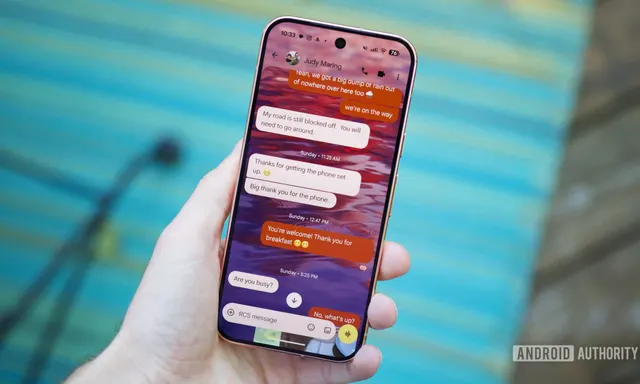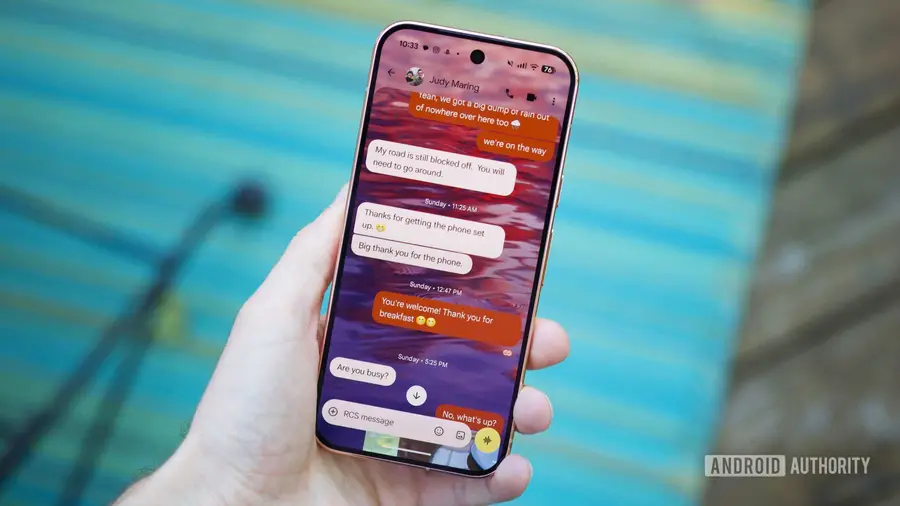
Google Messages has long been a dependable texting app, but until recently, it lacked some essential features. One of the most anticipated additions to the app is the option for custom chat themes, which is finally being rolled out as of August 2026.
Why Custom Chat Themes Matter
Customization is a key aspect for many Android users who enjoy personalizing their devices. The absence of chat themes in Google Messages has been a notable gap, but with this new feature, users can now tailor their messaging experience to better reflect their style.
Getting Started with Custom Themes
Before you dive into customizing your chat themes, ensure that your Google Messages app is up to date. Here’s how you can check for updates:
- Open the Google Play Store.
- Tap your profile icon in the top-right corner.
- Select 'Manage apps & device.'
- Look for updates available and tap 'Update' next to Google Messages if it appears.
Once your app is updated, make sure that RCS (Rich Communication Services) is enabled. This feature enhances your messaging capabilities and is necessary for chat themes to function. To confirm RCS is turned on:
- Open Google Messages.
- Tap your profile icon in the top-right corner.
- Select 'Messages settings.'
- Go to 'RCS chats' and ensure 'Turn on RCS chats' is enabled.
Exploring Chat Theme Options
Now that you have the latest version and RCS activated, you can start customizing your chat themes. Here’s how to access the new options:
- Open Google Messages and navigate to your chat list.
- Tap on the three dots in the top-right corner to access settings.
- Select 'Chat themes' to begin exploring your customization options.
You’ll find various customization features, starting with chat colors. The default color will align with your system accent or any chosen wallpaper. Additionally, you have eight unique styles to choose from, impacting your conversation backgrounds and chat bubbles.
Choosing Wallpapers for Your Chats
The most exciting feature is the ability to set wallpapers for your chats. You can select from several pre-loaded images from Google, categorized into themes like Animals, Architecture, Landscapes, and Space. To use your own image, simply tap on 'Choose a photo' and select any image stored on your device or from Google Photos.
It's worth noting that the customizations you apply will only be visible to you, meaning your chat partners won’t see the colors or wallpapers you’ve selected. This allows for a personal touch without altering the experience for others.
Conclusion
With the introduction of chat themes, Google Messages is stepping up its customization game, allowing users to enhance their messaging experience. The ease of use and variety of options make it a welcome upgrade for anyone looking to personalize their chats.
Enjoy customizing your conversations and happy chatting!
Source: https://www.androidauthority.com/google-messages-chat-themes-how-use-3704381/