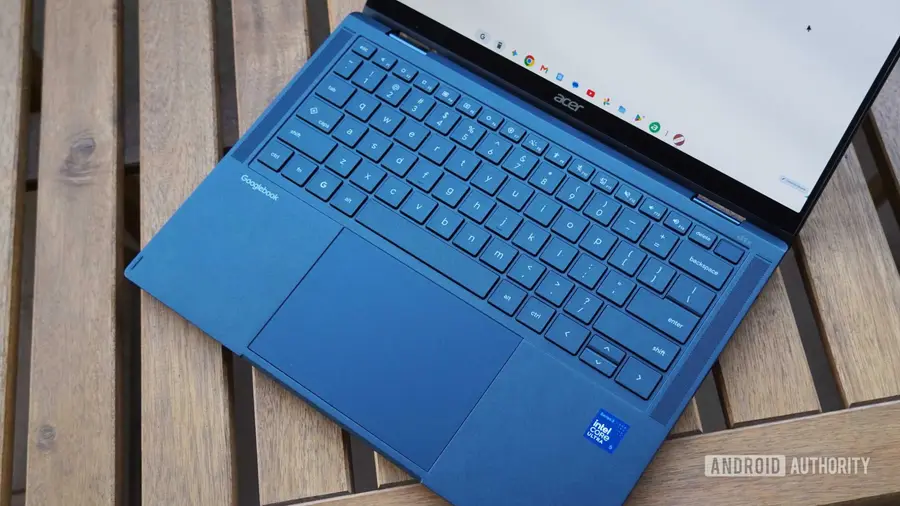
Google has recently rolled out the Chrome M156 update, aimed at addressing various usability issues faced by Googlebook users. These enhancements come just weeks after the M155 update, which introduced the ability to install any website as a standalone app and improved extension support. The latest update focuses on refining everyday browser interactions to provide a smoother experience.
Key Improvements in Chrome M156
One of the major fixes in this update is the resolution of crashes related to password managers like 1Password. Users previously experienced disruptions when using third-party autofill features, but this issue has now been addressed. Additionally, Chrome M156 resolved problems where extensions like Teleparty would inadvertently open farewell webpages and where dragging tabs between windows caused crashes.
Enhanced Fullscreen App Functionality
Another significant change involves fullscreen applications. Users of services such as GeForce NOW can now use the Alt+Tab shortcut without it being hijacked, allowing for a more seamless switching between windows. The Esc key continues to function as expected, exiting fullscreen mode without any hiccups.
Streamlined Downloads and User Interface
The update has also improved the downloading process. A new 'Save As' dialog allows users to select file names and destinations more easily, while measures have been implemented to prevent duplicate filenames from interfering with extensions. Furthermore, the address bar now supports an Alt+Shift+Enter shortcut to open links in background tabs, enhancing the overall browsing experience.
Future Developments and Ongoing Fixes
While Chrome M156 brings several needed updates, Google is not done yet. Features such as multiple Chrome profiles, tab group syncing, and the automatic detection of local Google Cast devices are still in the works. In the meantime, users can manually enable permissions for Nearby devices and Local Network to facilitate easier discovery of Cast devices.
As Chrome M156 (version 156.0.8078.47 or higher) begins to roll out via Google Play, users can expect regular updates every two weeks. The challenge will be how quickly Google can address the remaining issues and enhance the overall functionality of the browser.
Source: https://www.androidauthority.com/googlebooks-chrome-m156-update-3728427/