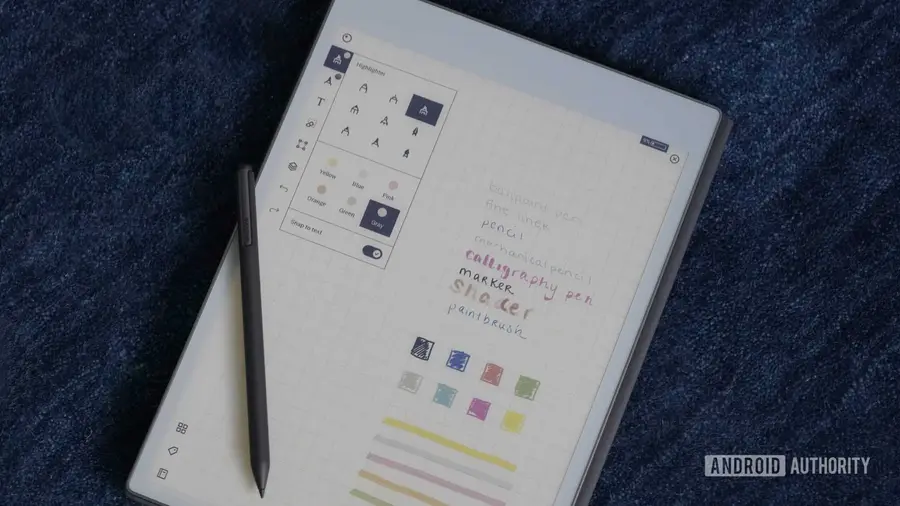
The reMarkable Paper Pro has always carved out a niche for itself as a digital paper tablet, designed primarily for writing, sketching, and organizing notes. Its simplicity compared to conventional Android tablets is a key factor in its appeal. However, a recent development has taken this device in an exciting new direction: a YouTuber has successfully installed Android 13 on it.
Transforming the Paper Pro with Android 13
YouTuber Chalid Raqami showcased the functionality of Android 13 on the Paper Pro, demonstrating that this isn’t just about getting the operating system to boot. He has dedicated substantial effort to optimize the system for the tablet's unique hardware, making Android not only operational but also practical for everyday use.
Seamless Switching Between Operating Systems
One of the standout features of Raqami's project is the ability to toggle between the original reMarkable OS and Android 13 within approximately 20 seconds. This dual-boot capability makes the device incredibly versatile. Users can rely on the traditional reMarkable interface for focused handwriting, and switch to Android when they need additional functionalities.
- Access Kindle books
- Read comics
- Browse the internet
- Download audiobooks
- Utilize productivity applications unavailable on reMarkable OS
With the addition of a Bluetooth keyboard, the Paper Pro can even serve as a minimalist writing setup.
Overcoming Hardware Limitations
Installing Android on a device not initially designed for such an operating system comes with its own set of challenges. The Paper Pro is equipped with only 2GB of RAM, and E-Ink displays typically do not support smooth animations. Raqami has tackled these issues through various optimizations, including enabling GPU acceleration and refining Android’s memory management.
Moreover, essential functions like Wi-Fi, Bluetooth, and USB connectivity are functioning properly, though the user experience differs markedly from that of standard Android tablets. Some adjustments have made navigation smoother and scrolling less abrupt.
Battery Life Considerations
Another significant concern when running a full-fledged operating system like Android is battery life. Fortunately, Raqami has managed to implement deep sleep functionality in Android, which drastically reduces power drain during standby—from about 3% per hour down to roughly 0.3%.
As for the choice of Android 13 over more recent versions, Raqami opted for this version to strike a balance between incorporating modern features and maintaining a manageable system for the Paper Pro’s limited hardware.
Future Prospects and Challenges
Despite the fascinating capabilities of this Android installation, it’s important to note that it’s not currently available for public download. The setup requires Developer Mode, and updates from reMarkable could complicate the installation process. While Raqami has found the port reliable for his personal use, he is working on making the installation and recovery process safer and more user-friendly before sharing it widely.
This project represents a significant leap beyond typical experiments with unconventional Android installations. The Paper Pro's inherent limitations contribute to its strength as a distraction-free device, but having the option of Android readily available could alleviate frustrations during those moments when the default features fall short.
In summary, for users of the reMarkable Paper Pro, the potential of having both a focused digital notebook and a capable Android E-Ink tablet in one device is an enticing prospect. We look forward to seeing how this project develops and what it means for future users.
Source: https://www.androidauthority.com/remarkable-paper-pro-running-android-13-3700212/